

Verify your Google Business Profile, generate a direct review link or QR code, and build a repeatable ask into every checkout or pickup. That trio raises visibility and bookings faster than any other single move you can make. Google itself recommends asking, replying, and simplifying the process, and BrightLocal data cited by Shopify shows a significant share of consumers always read reviews before choosing a business. Do those three things this week.
TL;DR:
- Verifying and completing your Google Business Profile with accurate categories, services, hours, and photos boosts local search visibility and prevents customer confusion.
- Asking for reviews immediately after service using direct links or QR codes significantly increases review volume and overall online reputation.
- Responding promptly and professionally to reviews, especially within 48 hours, demonstrates active management and builds customer trust.
- Incentivizing reviews violates Google policies and can lead to profile suspension; flag and report suspicious fake reviews with documentation.
- Tracking recent reviews and showcasing positive feedback on your website and social media enhances credibility and competitiveness in local search rankings.
Table of Contents
- Quick Checklist: The High-Impact Tasks That Move The Needle Fast
- Set Up And Verify Your Google Business Profile Properly
- How To Ask Customers For Google Reviews Without Sounding Pushy
- Make Leaving A Review Frictionless: Links, QR Codes, And Automation
- Responding And Managing Reviews: Templates, Timing, And Escalation
- Google Policy, Risks To Avoid, And Handling Fake Reviews
- Measure And Leverage Reviews: Metrics, Embedding, And Marketing Uses
- How The Dog Gurus Helps You Systematize Reviews
- A Groomer’s Lesson On Asking Too Late
- Get Your Review System Running With The Dog Gurus
- Sources
Quick Checklist: The High-Impact Tasks That Move The Needle Fast
You don’t need a marketing degree to fix your review pipeline this week. You need a short list, done in order.
- Claim and complete your Google Business Profile with accurate categories, services, and hours.
- Upload 5 to 10 photos that show real conversions: happy pets, clean facilities, your team at work.
- Generate a direct review link or QR code straight from your profile dashboard.
- Add that link everywhere a customer touches: receipts, invoices, and post-visit texts.
- Write two short staff scripts for asking in person, and set one automated follow-up message.
Do these five things and you’ve built the skeleton of a review system that runs itself. Everything else in this guide fills in the muscle.
Set Up And Verify Your Google Business Profile Properly
A profile that isn’t verified doesn’t show up reliably in local search, and unverified listings lose owner controls like review replies and photo uploads. Verification typically happens by postcard, phone, or email, depending on your business category and history with Google.
Once verified, prioritize these fields in order:
- Primary category — “Dog Groomer,” “Pet Sitter,” or “Pet Boarding Service” rather than a vague catch-all.
- Services list — nail trims, full grooming packages, overnight boarding, daily walks, whatever applies.
- Hours and holiday exceptions — wrong hours generate frustrated calls and bad first impressions before a customer even walks in.
- Photos — before-and-after grooming shots, facility tours, staff interacting with pets, and visible safety practices like play-yard fencing or sanitized grooming stations.
Pet owners are trusting you with something they love. A profile that looks abandoned or incomplete signals risk before a client ever picks up the phone.
How To Ask Customers For Google Reviews Without Sounding Pushy

Timing beats wording almost every time. The best moments to ask are right at pickup after a visible compliment, or in a follow-up message sent within 24 hours of service. Shopify’s guidance notes that automated post-service asks sent quickly, with a direct link attached, convert better than a generic request sent days later.
Here are three scripts you can hand to staff today:
- Groomers: “So glad Bella’s coat turned out great! If you have 30 seconds, a quick Google review helps other pet parents find us. Here’s the link.”
- Daycare: “Thanks for trusting us with Max today. If he had a good day, a short review on Google would mean a lot to our small team.”
- Pet sitters: “It was a pleasure caring for Luna this week. If you’re happy with how it went, I’d love a Google review. Here’s a direct link.”
Train every front-desk employee on one script, then build the ask into your closing routine so it never depends on memory.
Make Leaving A Review Frictionless: Links, QR Codes, And Automation
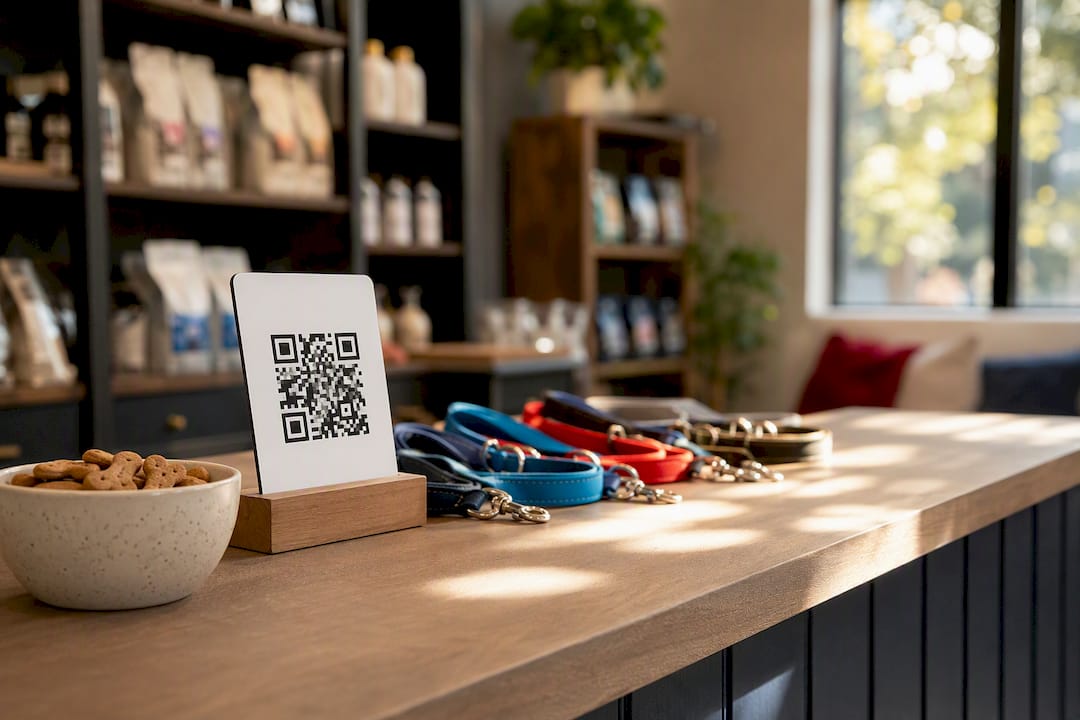
Every extra click costs you reviews. Google’s own help center recommends creating a short link or scannable QR code directly from your Business Profile dashboard, and pinning it wherever a happy customer might see it.
Put that link or code in these spots:
- Printed receipts and digital invoices
- Post-visit SMS or email, sent within a day of service
- A small sign at your checkout counter or front desk
- Your website’s thank-you or confirmation page
For automation, a basic CRM trigger that fires a text 2 to 4 hours after checkout works well, and pairing it with a QR code display, as covered in this guide to making it easy for pet owners to leave a review, gives customers a second, low-friction path to the same link.
Responding And Managing Reviews: Templates, Timing, And Escalation
Replying to reviews isn’t optional anymore. Google’s guidance treats responses as a signal of an actively managed business, and customers reading your replies are judging how you’ll treat them if something goes wrong.
Aim for a weekly check of new reviews, with responses within 48 hours where possible. Use these starting points:
- Positive: “Thank you so much for trusting us with [pet’s name]! We’re thrilled you both had a great experience.”
- Neutral: “Thanks for the feedback. We’d love to hear more about how we can improve. Feel free to reach out directly.”
- Negative: “We’re sorry to hear this didn’t meet expectations. We’d like to make it right. Could you contact us at [phone/email] so we can look into it?”
Google’s own reply guidance recommends staying professional, avoiding public arguments, and moving detailed complaints to a phone call or email where you can document what happened and how you resolved it.
Pro Tip: Keep a shared log of every negative review and its resolution. Patterns in complaints, like consistent scheduling confusion or a specific service, tell you more about operational gaps than any staff meeting will.
Google Policy, Risks To Avoid, And Handling Fake Reviews
Google’s policy is unambiguous: you can thank a customer for a review, but you cannot tie any discount, freebie, or service credit to leaving one. Incentivized reviews violate Google’s guidelines and can result in the reviews being removed or your entire profile being suspended.
If you suspect fake or spam reviews, whether from a disgruntled competitor or a bot, here’s what to do:
- Look for patterns: reviews with no visit history, generic language, or a burst of 1-star ratings in a short window.
- Flag the review directly through your Business Profile dashboard using the “Report review” option.
- Document everything with screenshots in case you need to escalate.
- If your profile gets suspended or restricted, use Google’s reinstatement request process and provide clear business verification documents.
Playing by the rules protects the reviews you’ve already earned.
Measure And Leverage Reviews: Metrics, Embedding, And Marketing Uses
Watching the right numbers keeps your review strategy honest. Track new reviews per month, your rolling average rating, and how quickly you’re responding to each one.
Recency matters more than most owners realize. A steady cadence of new reviews looks more credible to both Google and customers than one big push followed by silence, and BrightLocal’s findings show a large share of consumers specifically care about reviews from the last three months.
Once you’ve built momentum, put those reviews to work:
- Embed a review widget on your website’s homepage or booking page.
- Pull short quotes for social captions, always with the reviewer’s permission first.
- Reference your rating in social media marketing and in broader efforts to improve your pet care marketing.
A strong, current rating also shapes how you stack up against other daycare operators in your local map pack.
How The Dog Gurus Helps You Systematize Reviews
Building this system by hand, one script at a time, takes real effort on top of running daily operations. Thedoggurus packages staff training, ready-made scripts, and automation reminders into one platform built specifically for pet care operators, so the review-ask becomes part of your workflow instead of a task someone forgets during a busy Saturday. A 30-day pilot typically covers setting up your review link, training two staff members on the ask, and reviewing your first month of results together.
A Groomer’s Lesson On Asking Too Late
The biggest mistake I’ve seen pet businesses make isn’t a bad script. It’s asking for a review a week after the appointment, once the excitement has faded. Ask while the leash is still in your customer’s hand. That single timing shift outperforms almost any wording change you could make.
— Oliver
Get Your Review System Running With The Dog Gurus
Thedoggurus is the alternative to piecing together scripts, spreadsheets, and reminder texts on your own. It gives pet care owners one place to train staff, deploy proven ask scripts, and automate the timing that actually converts, all specific to daycare, grooming, boarding, and pet sitting operations. A trial or demo walks you through setting up your review templates and launching a 30-day pilot with your team, so you’re not guessing whether the changes are working.
If your reviews have stalled or you’re tired of chasing them manually, visit The Dog Gurus pricing page to see which plan fits your team size and book a demo to get your first scripts running this week.
Sources
For the official rules and deeper detail behind this guide, start with Google’s own resources: Tips to get more reviews and avoiding incentive-based reviews. For broader industry context on recency and review volume trends, see Shopify’s guide to getting more Google reviews.
- Google Reviews: How to Get More for Your Business (2026) — Shopify
- Tips to get more reviews — Google Business Profile Help