

If you run a multi-service pet care business, the fastest fix for scheduling chaos is a starter pack of ready-made pet care scheduling templates: a shift roster, a playgroup capacity grid, recurring booking blocks, a surgery-day template, emergency hold slots, and a shift-swap workflow. You copy the template, plug in your roles and availability, and publish a draft the same day.
This pack works whether you run:
- A dog daycare or boarding facility juggling playgroup counts and overnight checks
- A grooming or training business with recurring appointment slots and buffer times
- A pet-sitting company coordinating scattered field staff
- A hybrid clinic that mixes medical boarding with surgery days
Start simple: pick the template that matches tomorrow’s day type, fill in your team’s names and certifications, then publish it as a draft so staff can flag conflicts before it goes live.
Key Takeaways
Role-based, day-type-specific scheduling templates paired with a fixed emergency-slot policy cut labor waste and reduce the turnover that costs thousands per lost employee.
| Point | Details |
|---|---|
| Use seven core templates | Build a shift roster, booking, playgroup, boarding, surgery-day, hold-slot, and swap template rather than one generic grid. |
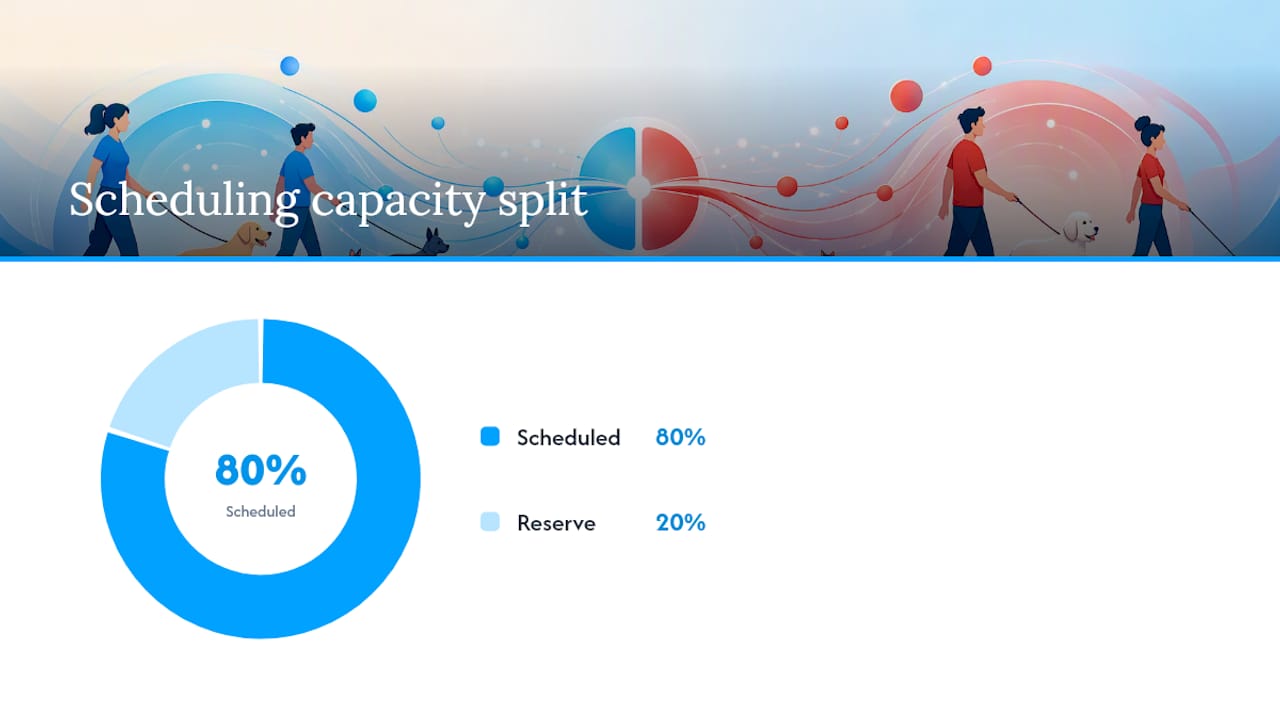
| Reserve holds, don’t overbook | Book roughly 80% of capacity as scheduled and hold the rest for same-day demand and emergencies. |
| Track labor hours per pet | Calculate your own ratio from slow and peak months to set staffing minimums per template. |
| Fix turnover through fairness | Credential-matched, shift-trade-friendly templates reduce the friction that pushes staff to quit. |
| Get help implementing fast | Thedoggurus offers ready-made template packs, coaching, and AI scheduling tools through its Staff Products plan. |
Table of Contents
- The Core Pet Care Scheduling Templates You Actually Need
- How Do You Turn a Template Into This Week’s Live Schedule?
- Building Role-Based Templates That Remove the Guesswork
- What Staffing Benchmarks Should Guide Your Templates?
- Get Templates Live Within One Pay Period
- What Owners Get Wrong About Scheduling Templates
- Let The Dog Gurus Help You Put These Templates to Work
- Sources
The Core Pet Care Scheduling Templates You Actually Need
Most scheduling headaches come down to using one generic template for a business that runs five different kinds of days. A grooming shop’s Tuesday looks nothing like its holiday-week Saturday, and a boarding facility’s overnight staffing pattern has almost nothing in common with its midday playgroup rotation. Each of these needs its own template, not a patched-together version of the same spreadsheet.
Here’s the working set:
- Shift roster template. Columns for role, zone, start and end time, and break windows. This is your backbone document, and every other template links back to it.
- Recurring booking template for grooming and training, built with buffer times between appointments so a late nail trim doesn’t cascade into three missed sessions.
- Daycare playgroup capacity template with staggered arrival windows and dedicated enrichment blocks, so you’re not cramming forty dogs into one 9 a.m. rush.
- Boarding flow template that schedules medication checks and overnight routines separately from daytime play.
- Surgery-day and exam-day templates for clinics or hybrid operations, each with its own staffing minimums since anesthesia monitoring demands different coverage than a routine exam.
- Emergency hold-slot template with same-day release rules, so unused capacity doesn’t just evaporate at 5 p.m.
- Shift-swap workflow template with clear approval modes, so trades happen without a manager playing referee over text messages.
Hybrid operations that run daycare or boarding alongside medical services need the clearest separation of all. Veterinary scheduling guidance recommends distinct templates per operation type, plus explicit cross-role coordination for tasks like medicated baths or sedation prep, where a mistimed handoff between a technician and a groomer creates real risk. Once you’ve built these seven, you’re not scheduling from scratch every week. You’re just filling in names.
How Do You Turn a Template Into This Week’s Live Schedule?
A template only earns its keep once it’s mapped to your actual staff and your actual bookings. Here’s the sequence that works:
- Pick the day-type template that matches what’s happening (surgery day, standard boarding day, grooming-heavy Saturday) and map your available staff’s credentials to the roles that template requires.
- Reserve your emergency hold slots before you fill anything else, and set the automatic release rule (many operators release unused holds by mid-morning of the service day).
- Link template blocks to booking categories or expected pet counts, so a daycare’s playgroup blocks scale with actual reservations instead of a flat guess.
- Publish a draft schedule and open a defined shift-swap window, giving staff 24 to 48 hours to flag conflicts before it locks.
- Collect scheduled versus actual hours each week and adjust the next template cycle based on the gap.
Facilities using predictive staffing pull historical booking and timeclock data into that first step, which turns “how many groomers do we need Saturday” from a guess into a pattern you can actually see coming.
Pro Tip: Keep last quarter’s actual-hours-versus-scheduled-hours report open while you build next quarter’s templates. The gap between what you scheduled and what you needed is the single most useful number in your entire operation.
Moving off spreadsheets and group texts matters here too. Manual scheduling methods are a documented source of missed shifts, burnout, and hidden labor costs that never show up on a P&L until turnover hits.
Building Role-Based Templates That Remove the Guesswork
A template that just says “3 staff, 9 to 5” isn’t a schedule. It’s a hope. Real role-based templates define exactly who fills which slot and why.
Start by defining your roles clearly: DVM or lead trainer, credentialed tech, kennel assistant, groomer, and receptionist, each mapped to the credentials your state or your insurance requires. From there, set minimums and flexible floats per template. A surgery day might require one DVM, one credentialed tech, and a float assistant. An exam day might run fine with half that staffing.
- Assign specific zones and pair them with short digital checklists for opening, midday, and closing tasks
- Configure shift-trade approval rules that block a swap if it would drop qualified coverage below minimum
- Build floats into every template so a call-out doesn’t collapse the whole day
This zero-guesswork approach, where staff get a shift time plus a zone plus a checklist, means quality doesn’t depend on whatever the manager happens to remember that morning, according to operational research on staff scheduling. It also protects retention: templates that respect credential requirements and staff preferences reduce the daily friction that pushes good employees to start browsing job boards.
What Staffing Benchmarks Should Guide Your Templates?
Templates work best when they’re built against real numbers, not gut feel. Two benchmarks matter most.
The first is labor hours per pet, a simple ratio many operators track as a baseline for planning shifts, drawn from smarter staffing practices for boarding and daycare. Calculate your own by dividing total staff hours worked by average daily pet count over a slow month and a peak month, and you’ll have two numbers to template around instead of one shaky guess.
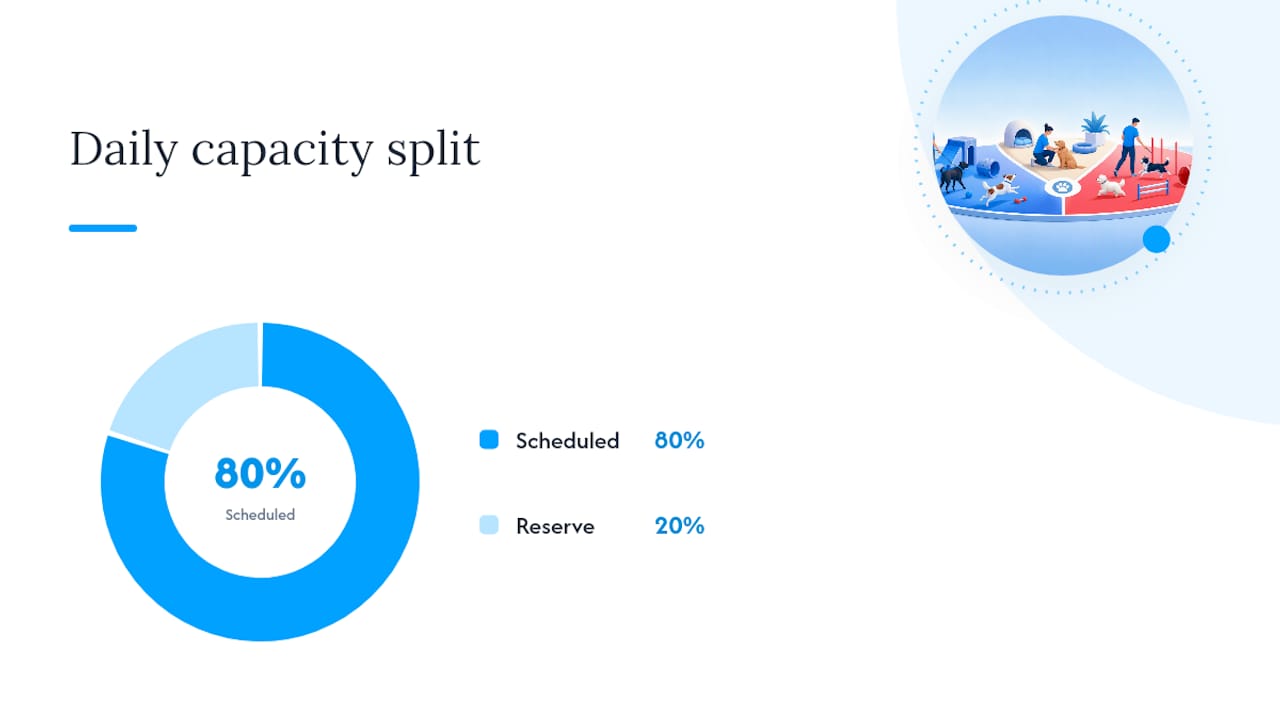
The second is capacity reserved for last-minute demand. A hybrid approach that books roughly 80% of daily capacity as scheduled appointments and holds the remaining share for same-day openings and emergency slots balances predictable revenue against the inevitable Tuesday-morning emergency call.
- Forecast holiday and peak-season labor needs using last year’s actual bookings, not this year’s hopes
- Add seasonal staff two to three weeks before a known surge, not the week of
- Track turnover cost directly against your scheduling changes
Turnover is expensive well beyond the obvious. Replacing a trained staff member costs thousands of dollars once you count recruitment, hiring, and training time, which is exactly why a fair, predictable template pays for itself fast.
Get Templates Live Within One Pay Period
Here’s a realistic rollout timeline instead of an open-ended “someday” project.
- Pre-launch (days 1 to 3): Map roles, upload staff credentials, collect availability, and set your overtime rules.
- Week 1: Apply the correct template to each day type, publish the draft, and open your shift-swap window.
- Week 2: Compare scheduled hours against actual hours and pet counts, then adjust staffing minimums.
- Day 30: Run a full template audit, hold a short staff feedback meeting, and tune your emergency-slot percentage up or down.
- Ongoing: Weekly spot checks plus a quarterly template review keeps the system from drifting back into chaos.
Pro Tip: Set a recurring 15-minute calendar reminder the day before every quarterly review. Templates that don’t get revisited quietly turn into the exact spreadsheet mess you were trying to escape.
What Owners Get Wrong About Scheduling Templates
The most common trap I see is letting a temporary surge quietly become the new normal. An operator adds two extra staffers for a holiday rush, the rush ends, and those hours never come back off the schedule. Baseline labor creeps up for months before anyone notices the margin damage.
The fix is a fixed emergency-slot policy paired with fair-mode scheduling: reserve your surge capacity as a percentage, not a headcount, and audit it back down every quarter. That’s exactly why The Dog Gurus builds template discipline directly into staff training. Predictable operations aren’t a one-time project. They’re a habit you have to keep practicing.
Let The Dog Gurus Help You Put These Templates to Work
Building seven templates from scratch is one thing. Keeping them accurate every week while you’re also running daycare shifts, grooming appointments, and boarding checklists is another. That’s the gap Thedoggurus closes for pet care operators who want the templates plus the systems to maintain them.
The Staff Products plan gives you downloadable template packs built around the same role-based, zone-assignment logic covered above, alongside coaching, AI-powered scheduling tools, and staff training modules that keep your team accountable to the schedule you actually publish. If you’d rather pair templates with a lightweight operations kit for the rest of your business documentation, the Small Business Operations Kit is a solid companion for SOPs outside of staffing. Subscribers get direct coaching support to customize templates to their facility instead of guessing at column headers alone, and a 24/7 accountability system that catches drift before it becomes a habit. Book a demo of the Staff Products platform today and get your first template pack customized this week.
Sources
- 2025 survey — The impact of pet benefits on your workforce (Airvet)
- Veterinary clinic staff scheduling best practices (XShift)
- Predictive staffing: using data at your pet business (Gingr)