

Successful software adoption in pet care starts with mapping your actual workflows before you touch a single settings menu, then rolling out in phases over 90 days. Success looks specific: bookings never stop, payments keep processing, and staff are logging into the new system daily by week six. The Dog Gurus builds staff training and coaching around exactly this playbook, so you don’t have to figure out the sequence alone.
TL;DR:
- Mapping workflows on a whiteboard with staff before software configuration helps ensure the system aligns with actual daily operations and reduces adoption failure.
- Testing sample data and real booking scenarios during the initial import phase catches duplicate profiles, mismatched notes, and payment issues early in the process.
- A staged 30/60/90 day implementation approach minimizes disruption by gradually rolling out features, training staff, and validating data accuracy at each stage.
- Role-based training, internal champions, and clear job aids increase staff engagement and daily system usage, preventing resistance during the transition.
- Tracking key metrics like booking fill rate, no-show rate, and admin hours weekly for the first three months provides a clear picture of software adoption success and identifies issues early.
Table of Contents
- How Do You Assess Your Pet Care Business’s Software Needs?
- Map Your Workflows Before You Configure Anything
- What Features and Integrations Actually Preserve Continuity?
- What Does a 90-Day Software Migration Timeline Look Like?
- How Do You Get Staff to Actually Use New Software?
- How Do You Measure Software Adoption Success in the First 90 Days?
- Common Pitfalls, and One Habit That Saves Rollouts
- Get Direct Support for Selection, Training, and Rollout
- Sources
How Do You Assess Your Pet Care Business’s Software Needs?
Before you book a single demo, write down every service you run and the features each one demands. A daycare with capacity caps needs different tools than a training business running multi-week packages, and grooming shops need scheduling that respects appointment length, not just open time slots.
Start with a plain list of what you actually do day to day, then match features to each line item:
- Service documentation: classes, boarding stays, multi-week training programs, and daycare capacity rules, each with its own booking logic
- Non-negotiables: multi-pet household handling, recurring bookings, deposits and prepaid packages, and staff permission levels that restrict who can void a charge or edit a medical note
- Technical constraints: your current payment processor, accounting software, website booking widget, and calendar system, since ripping out all four at once is rarely necessary
Effective pet care software has to connect scheduling, payments, and reporting without forcing staff into manual workarounds. If a platform handles daycare check ins well but can’t track a 12 week training curriculum, that’s a gap worth flagging before you sign anything, not after. Reference this checklist directly in your demo notes, and resist any pitch that glosses over a feature you marked as non-negotiable.
Map Your Workflows Before You Configure Anything
Skipping this step is the single most common reason software adoption in pet care stalls. Operators buy a platform, configure it based on guesses, and staff quietly revert to the whiteboard and paper folder within three weeks because the system doesn’t match how work actually happens.
Walk through your real process end to end:
- Intake: how a new client’s information, vaccination records, and pet details enter your system today
- Booking: how a reservation gets created, confirmed, and paid for, including deposits
- Check in: what staff verify at drop off (vaccination status, behavior flags, belongings)
- Service delivery: how trainer notes, medication administration, or grooming instructions get recorded and handed to the next staff member
- Check out: what triggers the final charge and any add-on fees
- Follow up: how you request reviews, rebook, or flag a client for a package renewal
Every handoff point, a groomer passing notes to the front desk, a trainer flagging a behavior issue for the next session, is a place where software either helps or gets bypassed. Practitioner experience across pet care operators shows that documenting these handoffs first, then building role-based checklists inside the software, leads to far higher daily usage and fewer staff reverting to paper.
Pro Tip: Draw your workflow on a whiteboard with your actual staff before you open a single software settings menu. If they can’t recognize the process, the configuration won’t match reality either.
What Features and Integrations Actually Preserve Continuity?
The right software checklist protects the workflows you just mapped instead of forcing you to rebuild them from scratch. During demos, evaluate against a specific list rather than a vendor’s feature slide.
Feature essentials to test:
- Scheduling interface that mirrors your actual booking flow, not a generic calendar grid
- Calendar locking so double bookings can’t happen during peak boarding weekends
- Client portal for self-service rebooking, vaccination uploads, and payment updates
- Deposit and package handling matched to how you already price multi-visit clients
- Staff role permissions that limit who can refund, edit medical notes, or view financial reports
- Reporting that exports cleanly for your accountant, not just a dashboard screenshot
Integration essentials to confirm:
- Payment gateway compatibility with your existing processor or a documented switch path
- Accounting sync (QuickBooks or similar) that doesn’t require manual re-entry
- Website and booking widget embed that matches your current site
- Calendar sync so staff schedules don’t live in two disconnected places
Run a real test during your trial: process a sample booking end to end, store a test card and confirm it charges correctly, and export a reporting file to see if it opens cleanly in your accounting software. Vendors and implementation guides consistently recommend testing stored payments, booking links, and reporting exports before you commit, because these are the pieces that break quietly and surface as client complaints weeks later.
What Does a 90-Day Software Migration Timeline Look Like?
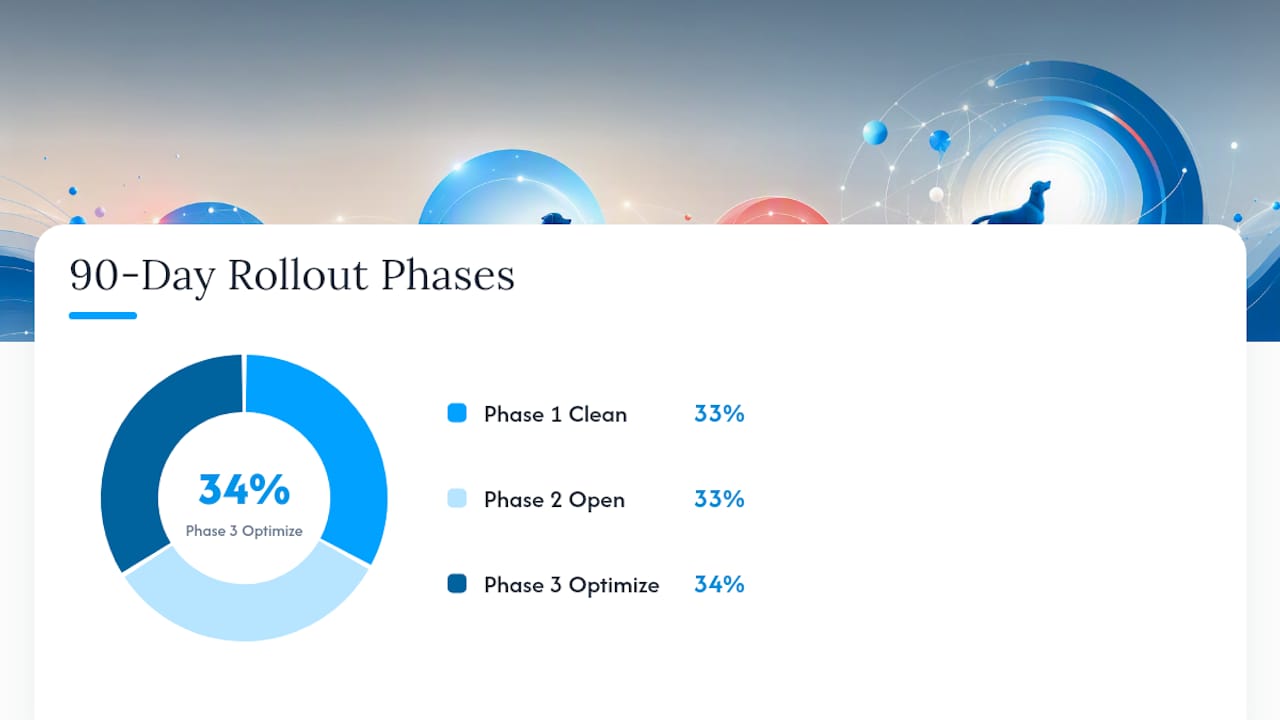
A staged 30/60/90 rollout keeps your business running while you switch systems, and it’s the structure that consistently shows up across implementation case studies for pet software, which link stable workflows and ROI to a staged approach completed within approximately three months.
Phase 1, Days 1 to 30: Clean and test.
- Export and clean your current client, pet, and booking data
- Run a small sample import (50 to 100 records) rather than your full database
- Test the sample against real scenarios: multi-pet families, recurring bookings, stored cards
Phase 2, Days 31 to 60: Open the doors.
- Roll out booking to all clients, not just the test group
- Turn on full integrations (payments, accounting, calendar sync)
- Run role-based staff training sessions
- Send client communications explaining what’s changing and what isn’t
Phase 3, Days 61 to 90: Optimize.
- Turn on reporting and any automation features
- Check ROI against your original goals
- Adjust configuration based on real usage patterns
Specific risks to guard against at every phase:
- Booking disruption: keep your old system read-only, not deleted, for at least 60 days
- Payment continuity: confirm stored cards migrated and test charge correctly before go live
- Historical notes: verify medical and behavior notes attached to the right pet profile, not just the right client
- Duplicate profiles: run a de-duplication pass before the full import, not after
A checklist-driven implementation, covering foundation setup, data import, staff training, testing, and go live, catches the steps that get missed when a rollout is treated as one big event instead of three distinct phases.
How Do You Get Staff to Actually Use New Software?
Staff resistance sinks more software rollouts than any technical limitation. The fix starts before you even choose a vendor: involving key staff in the selection process builds ownership and surfaces real operational needs that a management-only decision would miss.
Once you’ve selected a platform, break training by role instead of running one generic session:
- Front desk staff need check in and payment workflows, not reporting dashboards
- Groomers and trainers need note taking and handoff features specific to their service
- Managers need permissions, reporting, and override capabilities
Create a one-page job aid for each role, something staff can tape near their station for the first two weeks. Then name one or two internal champions per shift, people who learn the system fastest and can answer quick questions without pulling you away from the floor. Set a short usage goal, like every check in logged in the system for two straight weeks, and check in daily on progress. The staff training frameworks built for pet care facilities work well here because they’re built around shift-based reality, not classroom theory.
Pro Tip: Ask your champions to keep a running list of the three questions they get asked most. That list becomes your second week of training content, built from what staff are actually confused about instead of what you assumed they’d need.
How Do You Measure Software Adoption Success in the First 90 Days?
Track a small number of numbers weekly, not a sprawling dashboard nobody checks. The ones that actually tell you whether the switch is working:
- Booking fill rate compared to your pre-switch average
- No-show rate, since automated reminders should move this quickly
- Admin hours saved per week, tracked by asking staff directly
- Revenue per staff hour
- Client retention rate through the transition period
AI-driven scheduling and reminder automation can meaningfully cut administrative hours and reduce no-shows once your data is clean and workflows are mapped, though predictive or clinical automation features should wait until your foundation is stable.
Review weekly for the first month, biweekly through month three, then shift to monthly once metrics stabilize. Good improvement by day 90 looks like a no-show rate cut meaningfully from your baseline and staff no longer asking “which system do I use for this?”
Common Pitfalls, and One Habit That Saves Rollouts
The operators who struggle most with software adoption in pet care almost always skip the same step: they import their full client database on day one instead of testing a small sample first. A sample import surfaces the duplicate profiles, mismatched notes, and broken payment links while the stakes are still low. Skip it, and you discover those problems mid-migration, with real bookings on the line.
The habit that consistently saves rollouts is a weekly cross-functional review during the first month, ten minutes where the front desk, a groomer or trainer, and the owner spot-check a handful of live bookings, a few stored cards, and a couple of reporting exports. Catching a data error on Tuesday costs you an email. Catching the same error after 200 client records inherited it costs you a weekend. Process discipline, not the software’s feature list, is what separates a smooth rollout from a rocky one.
— Oliver
Get Direct Support for Selection, Training, and Rollout
You don’t have to build role-based training materials or a phased rollout plan from scratch. Thedoggurus built its staff-products platform specifically around the gap most software vendors leave open: they’ll sell you the platform, but rarely help you train a groomer, a front desk lead, and a trainer on three different workflows at once.
The staff-products lineup includes role-based training modules matched to daycare, grooming, training, and boarding positions, implementation playbooks that mirror the workflow-mapping approach covered above, and an AI-powered accountability system that checks in with your team so you’re not the only one tracking whether training actually stuck. Coaching support helps you sequence your own 30/60/90 rollout instead of guessing at the order.
If you’re mid-selection or already committed to a platform and staring down a training gap, start with a trial of the staff products to see how the role-based modules map to your actual positions, then build your rollout calendar from there.
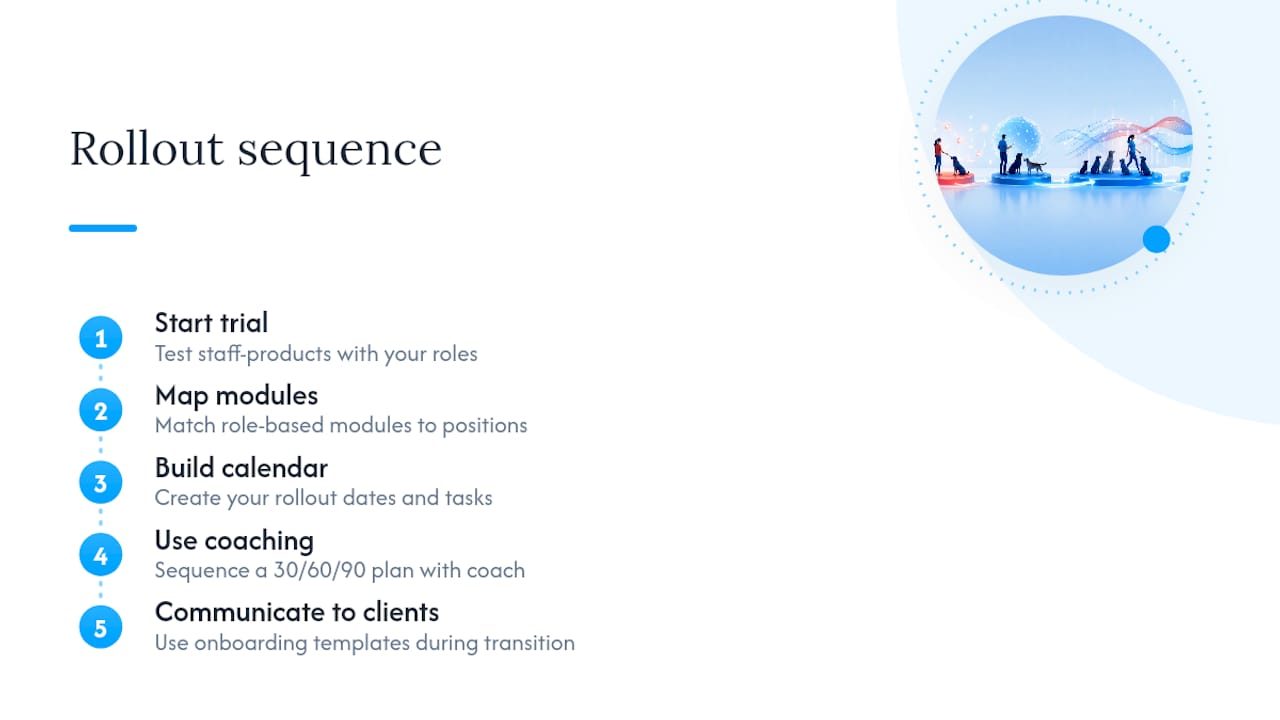
For onboarding communication templates that keep clients informed without a paperwork ambush during your transition, The PurpleLalu’s onboarding guide pairs well with the staff training sequence above.